Private, on-device writing studio for novelists

Write the novel. Keep the world straight.

A calm, native Mac app that guards every draft, reads your story to catch continuity slips, and keeps your words in plain files on your Mac - nothing uploaded, nothing written for you.

Built for long fiction

The desk, the outline, the memory, and the handoff - in one place.

Everwrite keeps the whole job of a novel next to the page: structure and focus for drafting, a continuity-aware Story Bible, progress and goals, versions and backups that never lose your words, and clean imports and exports.

Chapter Binder

Organize chapters and scenes in a searchable, drag-to-reorder manuscript tree.

Focus Mode

Dim everything but the paragraph you are writing when the draft needs quiet.

Page View

Write on separated paper pages with adjustable page zoom.

Story Bible

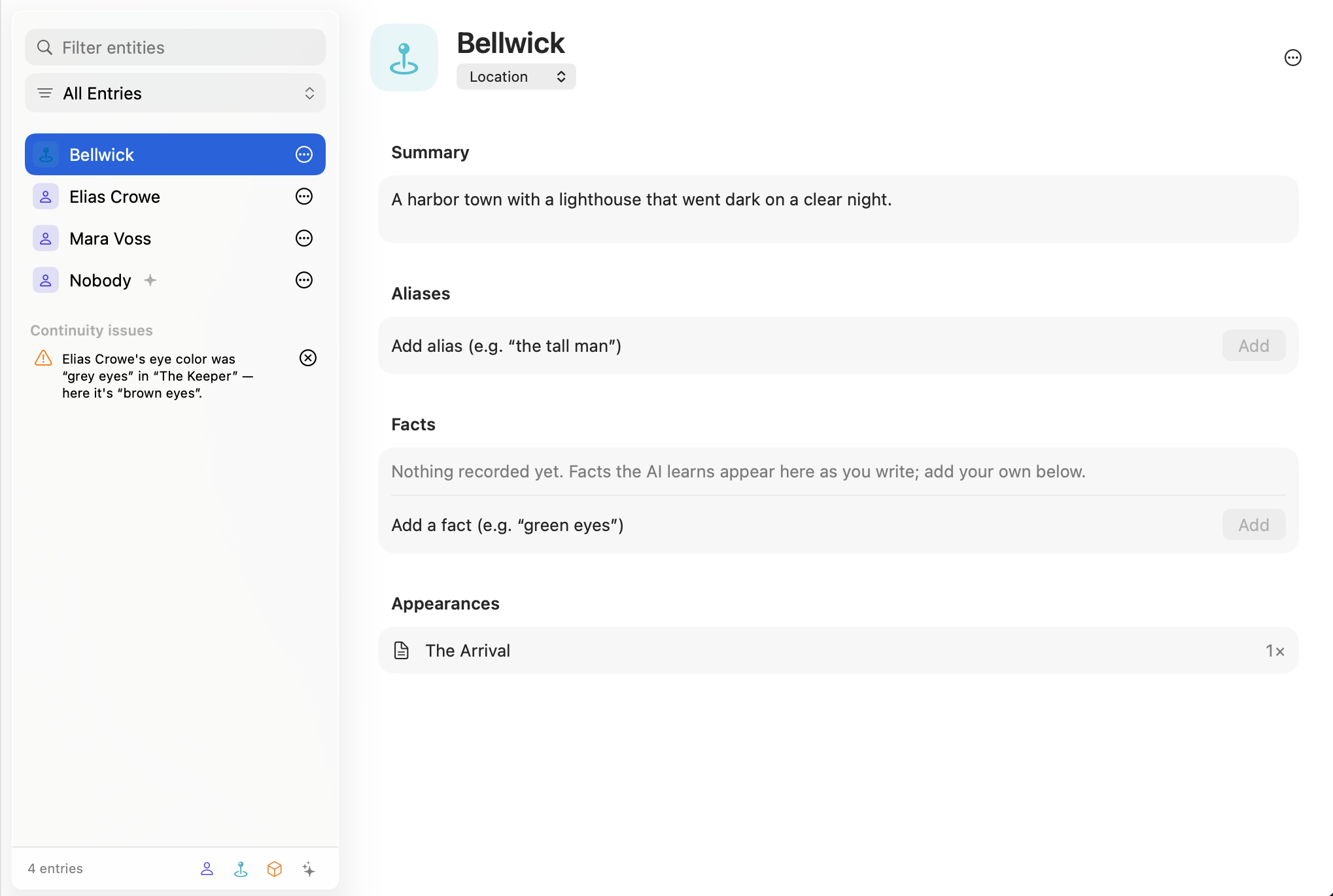
Track characters, locations, objects, aliases, and facts - with continuity issues flagged, all stored locally.

Board Scratchpad

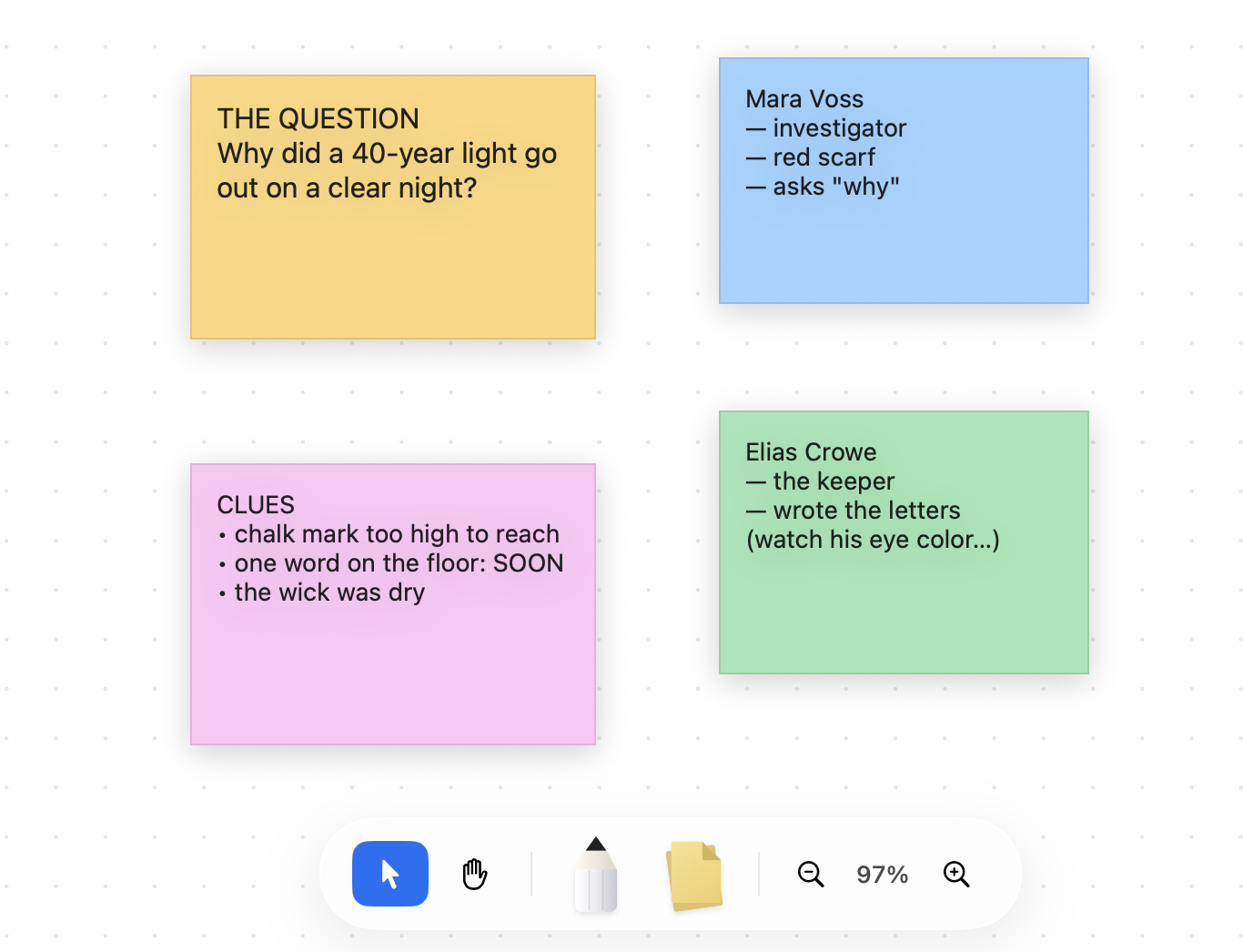
Use sticky notes, connectors, freehand ink, pan, and zoom beside the manuscript.

Writing Goals

See project progress, today's words, session output, streaks, and a year-long writing heatmap.

Versions & Backups

Name milestones, restore deleted scenes from Trash, and rely on automatic snapshots and rotating local backups.

Clean Export

Export Standard Manuscript Format DOCX, EPUB 3, or PDF - the whole book or selected chapters.

Private on-device AI

A continuity copilot that never writes your book.

Everwrite reads your draft right on your Mac - using Apple's on-device intelligence, never the cloud - to build a Story Bible, connect aliases, remember the facts of your world, and flag contradictions as you revise. It helps you see the book clearly. It never writes a sentence for you.

Builds a local Story Bible Flags contradictions in the text Connects names and aliases Never writes your prose
Everwrite Story Bible showing local entries, aliases, facts, appearances, and a continuity issue

Everyday writing tools

Momentum for the parts around the draft.

Set goals, brainstorm names, and keep a visual scratchpad close to the manuscript without leaving Everwrite.

Goals & progress

See the work accumulate.

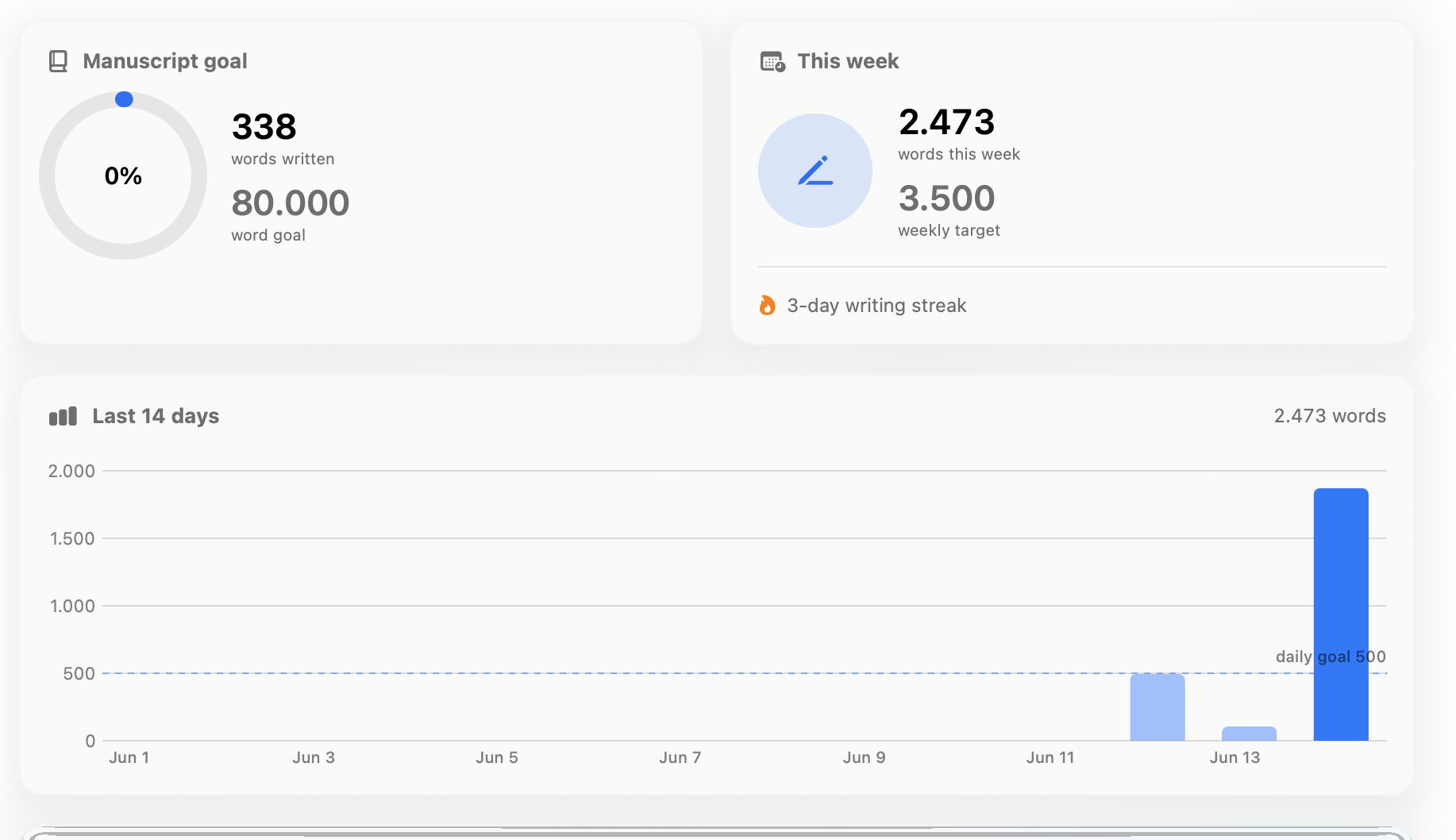
Set a manuscript goal, track weekly progress, watch your streak hold, and review your recent writing days at a glance. The dashboard turns daily pages into momentum you can see.

Everwrite writing goals dashboard showing manuscript goal, weekly target, streak, and recent word-count chart

Private idea generator

Brainstorm without sending the book away.

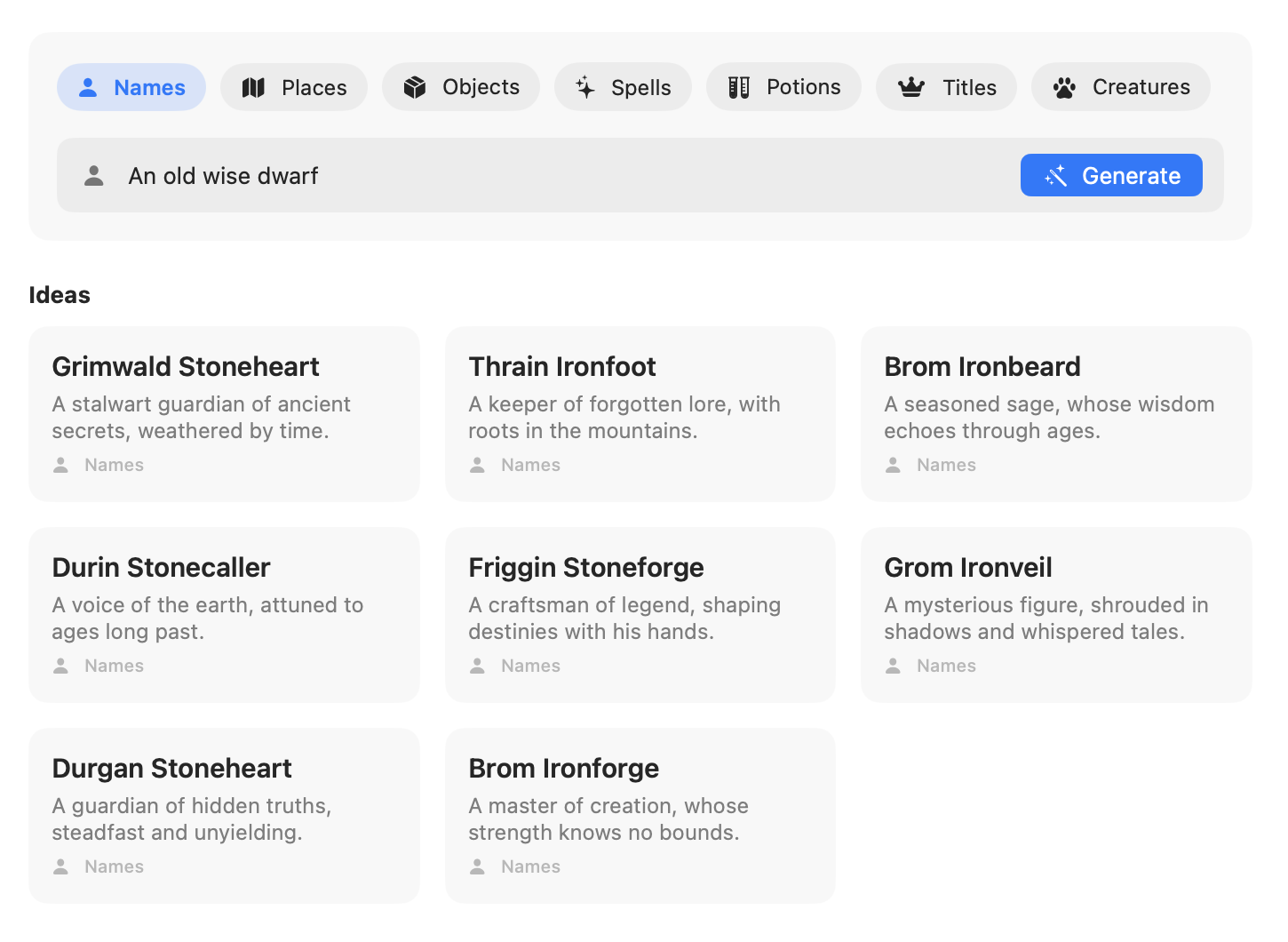
Riff on names, places, objects, spells, potions, titles, and creatures from a short prompt, generated on-device. Favorite the ones you like; everything stays in the book's local history.

Everwrite on-device generator with categories for names, places, objects, spells, potions, titles, and creatures

Board scratchpad

Keep the messy thinking visible.

Drop notes, arrange clues, sketch relationships, and keep open questions on a board beside the manuscript. It is the wall next to the desk, not another database to manage.

Everwrite board scratchpad with colored sticky notes, clue notes, character notes, and a floating tool bar

Workflow

From book shelf to handoff file.

Everwrite follows the way a book actually gets made: start or import, structure the scenes, draft with focus, preserve every milestone, and hand off clean files.

01

Start or import

Open the Library, create a new book, explore the demo, or import Word and Scrivener projects.

02

Outline the book

Shape chapters, reorder scenes, add synopses, and mark each scene To do, Draft, Revised, or Done.

03

Draft in focus

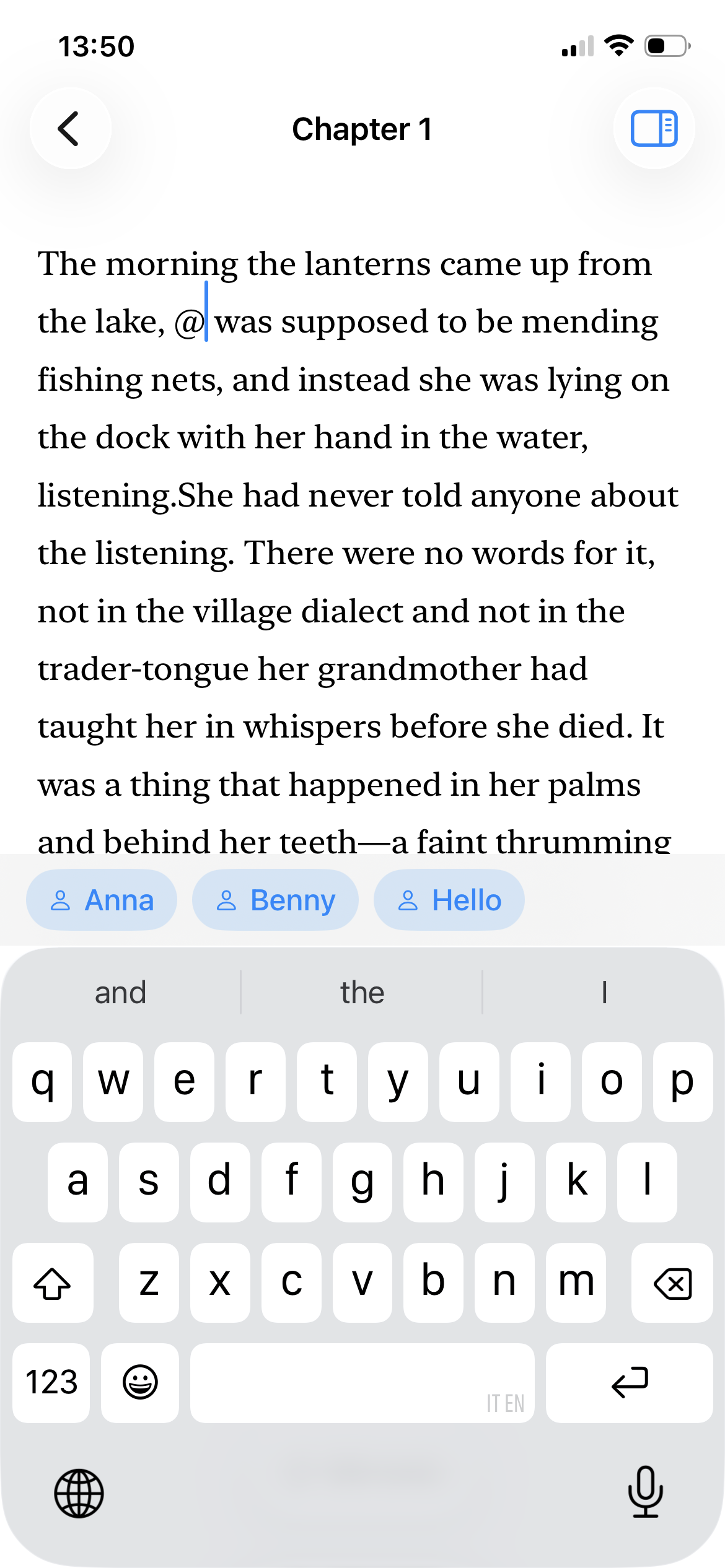
Write Markdown scenes in the native editor with Focus Mode, Typewriter Scrolling, and Page View.

04

Export cleanly

Save named versions, keep automatic backups, then export DOCX, EPUB 3, or PDF.

Pricing

One payment for the whole writing workspace.

One native Mac app with the editor, binder, Story Bible, goals, versions, backups, board, generator, and export tools - and your words stay in plain files on your Mac.

Plan and draft

Chapter binder, scene statuses, focus writing, page view, and typewriter scrolling.

Keep the story straight

Local Story Bible entries, aliases, facts, appearances, and continuity checks.

Track real progress

Project goals, session output, writing streaks, milestones, and rotating backups.

Hand off clean files

Export selected chapters or the full manuscript to DOCX, EPUB 3, and PDF.

One-time payment

Lifetime updates
$19.99

Pay once for Everwrite on Mac. Keep your manuscript local and keep every core writing tool unlocked.

Included with purchase

  • +Full native Mac writing app
  • +Story Bible and continuity tools
  • +Goals, versions, notes, and board
  • +Plain Markdown scenes on disk
  • +DOCX, EPUB 3, and PDF export
Download for Mac

No subscription. No account required. No in-app purchases.

FAQ

Questions serious writers ask first.

Where your files live, sync, export, offline use, pricing, and system requirements.

Every book is a single Everwrite document on your Mac - a standard macOS document package you can open in Finder anytime. Inside, each scene is a plain Markdown (.md) file, kept next to the project outline, your local Story Bible database, the board, your notes, named versions, and a trash folder. Automatic rotating backups are kept separately in the app's local storage. Nothing is stored in a proprietary format you can't read.

Everwrite has no cloud of its own and never uploads your manuscript - there's no account and no Everwrite server. Because each book is a standard macOS document written with macOS file coordination, you can keep it in iCloud Drive, Dropbox, or any folder you already sync and edit it across your Macs. If you want a cloud, it's yours, not ours.

Everwrite exports a Standard Manuscript Format .docx (the layout agents and editors expect), a reflowable EPUB 3, and a manuscript-format PDF. Export the whole book or just selected chapters. And because every scene is already a plain Markdown file inside the document, your raw text is always yours to take elsewhere.

Completely. The editor, your documents, search, named versions, backups, the Story Bible, voice dictation, the name generator, and the on-device continuity AI all run on your Mac with no internet connection. Nothing is sent anywhere, and Everwrite includes no analytics or trackers.

Everwrite is a single $19.99 purchase on the Mac App Store - no subscription, no in-app purchases, no account. There's no separate free trial; instead the app comes with a ready-made demo book so you can try the full workflow right away. Refunds are handled by Apple through the standard App Store refund request, the same as any Mac App Store app.

Everwrite runs on Apple Silicon Macs (M1 or later) with macOS 26.2 or newer; Intel Macs are not supported. The core writing app - editor, binder, Story Bible, goals, versions, backups, board, and export - works on any supported Mac. The continuity AI and name generator use Apple Intelligence, and voice dictation downloads a small on-device speech model the first time you use it.